For support teams

Fewer tickets. Better AI answers. Docs that keep up.

Docmunk finds every article and screenshot a release affects and proposes the fix, so your help center, your chatbot, and AI tools all give customers the right answer. Your team reviews, approves and stays in charge of quality.

Start Free 30 Day Trial

30 days. No credit card.

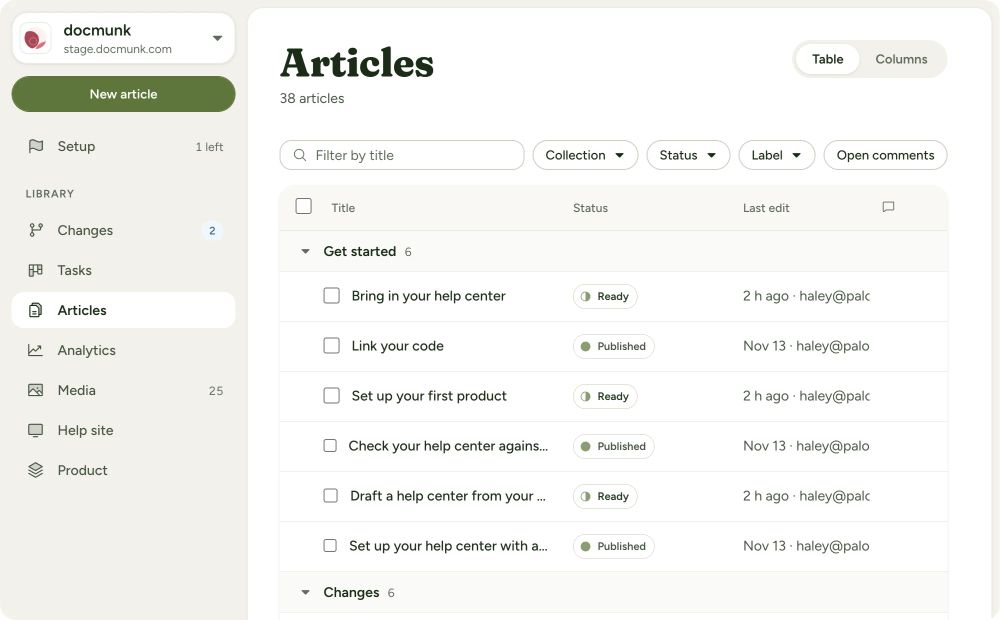
Docmunk’s Articles list, grouped by collection, with each article’s status and last edit.

LivePlan’s support lead reports saving more than 10 hours a week with Docmunk.

How it works

  1. Bring your help center. We migrate it with you from Zendesk, Intercom, Help Scout, Freshdesk, Mintlify, or any other system. We’ll handle the redirects.

  2. Connect your product’s code. Read-only access to your Git repository. Just a few minutes of time from engineering.

  3. Review proposed updates. After each release, Docmunk shows what changed and drafts the fixes. Your team approves them.

Stop hunting for what changed.

Finding every article a release affects is the slow part. Docmunk does it for you.

  • Every affected article, found. Docmunk identifies every article that’s impacted by a code change and drafts each edit for you to approve.

  • Screenshots and videos, retaken. Affected images are recaptured for every plan, mode and device, and updated in every article that uses them.

  • No separate screenshot tool. Capture and annotate your own screenshots and short videos inside Docmunk, instead of having to use a third-party tool.

  • Redesigns without the rework. When your app design changes, Docmunk retakes the images for you.

  • Docs that ship with features. Stage articles or collections to a release and publish them together.
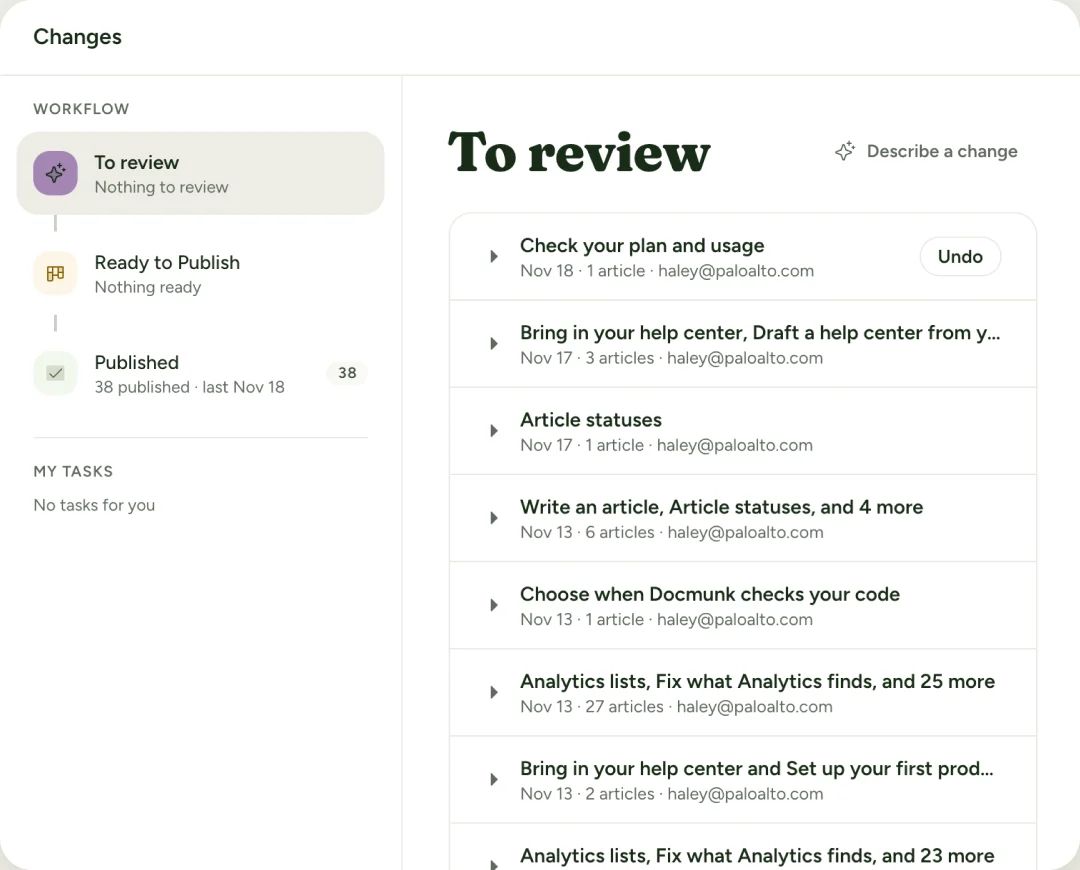
Docmunk’s Changes workflow, with a To review list of drafted article updates.

The right answers, wherever customers ask.

Customers look for help in many places. You need to make sure they always get the right answer.

  • In your help center. Quick answers take customers from a plain-language question to the right article.

  • In your support tool. When the docs can’t help, customers are handed to your team via chat, email or any other support tool.

  • In your chatbot. Your support bot or in-app assistant can use all your Docmunk content through an MCP.

  • In ChatGPT, Claude and AI search. AI crawler access, a sitemap, structured data and llms.txt help AI tools learn your product from current docs.

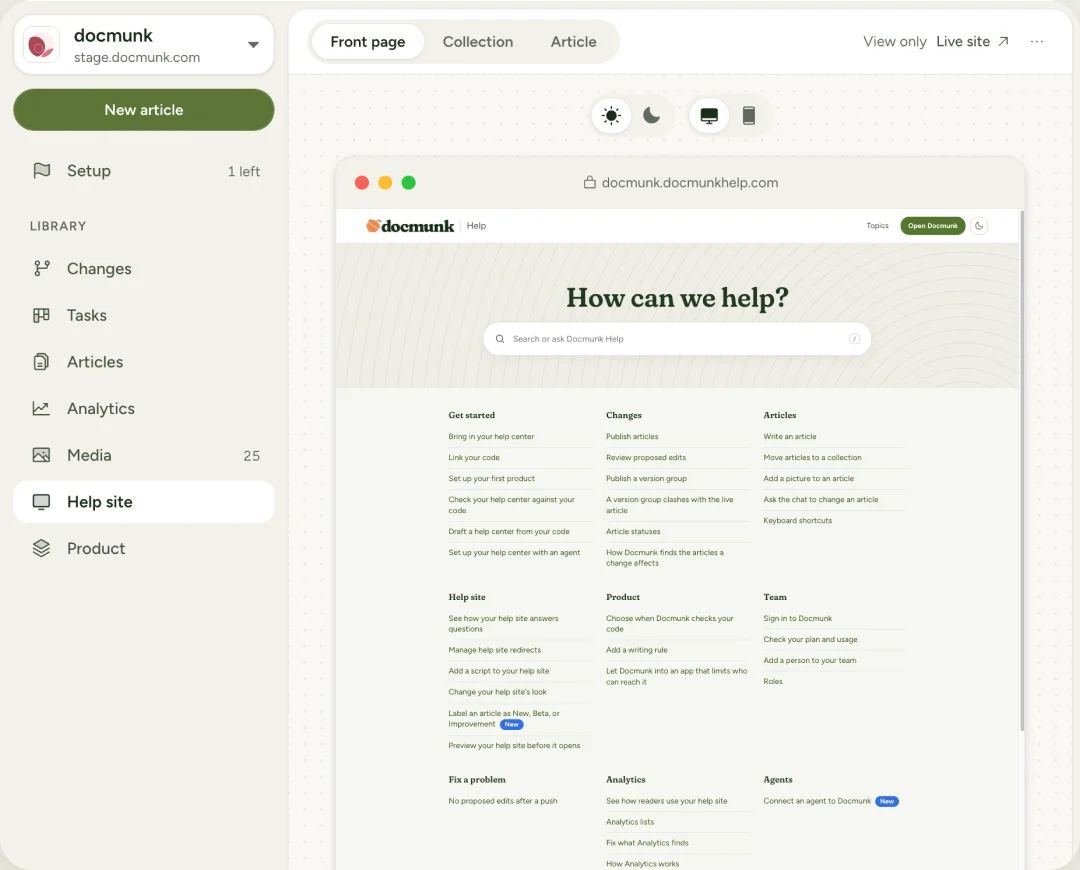
A Docmunk help center’s front page, previewed inside Docmunk’s Help site editor.

Detailed analytics keep you from flying blind.

You’ll know how your help center is being used without the need for another analytics tool.

  • Know what users are asking. Docmunk gives you visibility into what users are looking for and how their questions were answered.

  • Know what to write next. If a question doesn’t have a good answer, Docmunk suggests articles to fill the gaps.

  • See if edits help. Versions shows what readers did under each published version of an article, so you can tell whether a rewrite reduced support interactions.

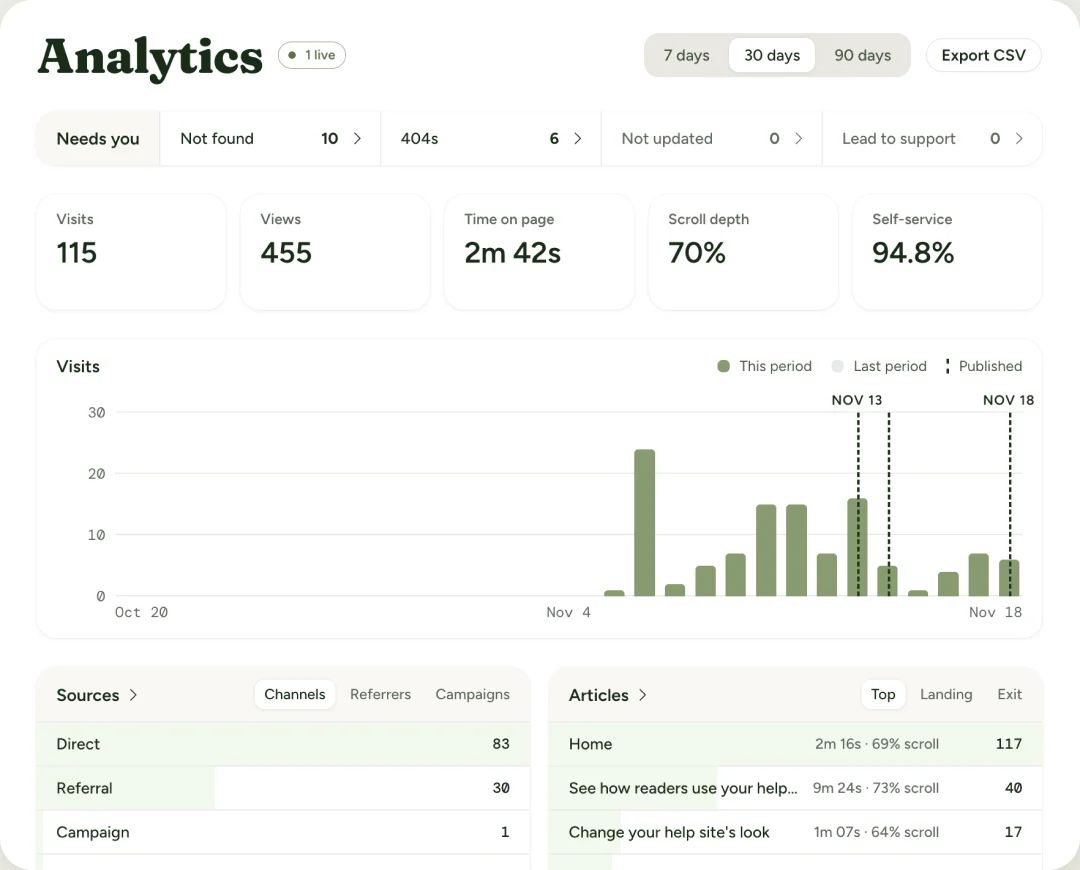
Docmunk’s Analytics screen: visits, views, time on page, scroll depth and self-service rate above a chart of daily visits.

Quality stays in your hands.

Review before publishing.

Nothing goes live without your team’s approval.

Your standards.

Voice and tone rules applied to every draft and edit.

Built for teams.

Unlimited users, roles, comments, assigned tasks and real-time editing.

Full history.

See every change and roll back any time.

Running on LivePlan today.

LivePlan’s help center runs on Docmunk, with 232 articles and 1,384 picture files. Its support lead reports saving more than 10 hours a week.

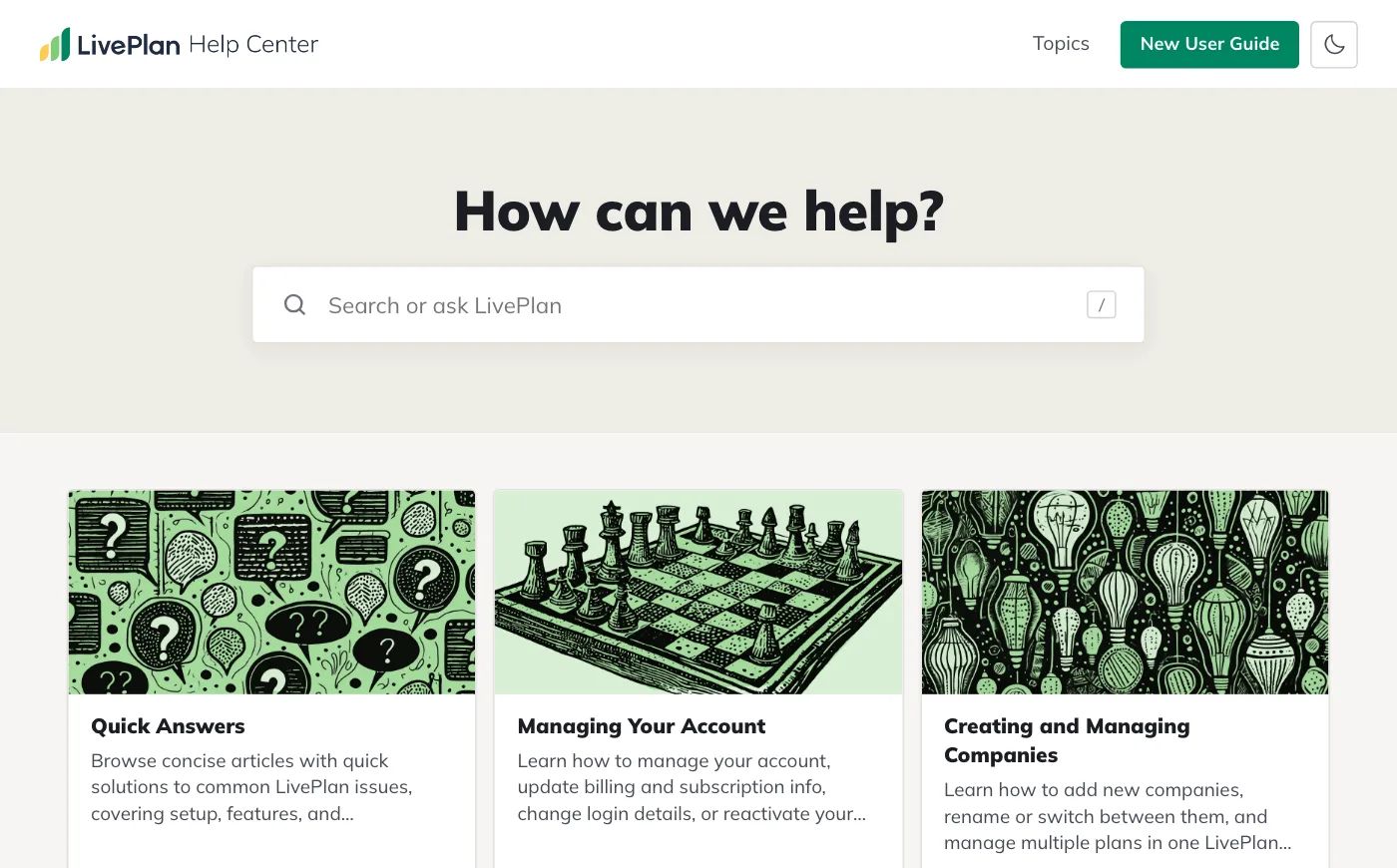
The LivePlan Help Center home page: a search box under “How can we help?” above topic cards for Quick Answers, Managing Your Account and Creating and Managing Companies.

Questions?

Does Docmunk publish changes on its own?

No. Every change waits for your team’s approval.

Does Docmunk replace our ticketing system?

No. It replaces your help center and hands customers to your support tool when they need a person.

Can our chatbot use Docmunk content?

Yes, through MCP, as well as your public help center pages.

How does Docmunk know what changed?

It monitors your product’s Git repository with read-only access and compares each change with your articles and screenshots.

Who does the migration?

We do it with you during onboarding, at no extra cost.

Let your team review, not hunt

Start Free Trial
  • 30-day free trial, no credit card
  • Migration done with you, URLs and redirects kept
  • Works alongside your support tool
  • Nothing publishes without your approval