Part of a complete help center.
Screenshots are one part of an accurate article. Docmunk also drafts the articles, keeps the text current as you ship, and gets customers the right answer wherever they ask. See how Docmunk builds your help center.

Screenshots and videos
Docmunk captures the screenshot or short video each step needs, in every version your customers see, and retakes them when your app changes. You can also capture and annotate your own with Docmunk’s built-in screenshot tool.
30 days. No credit card.
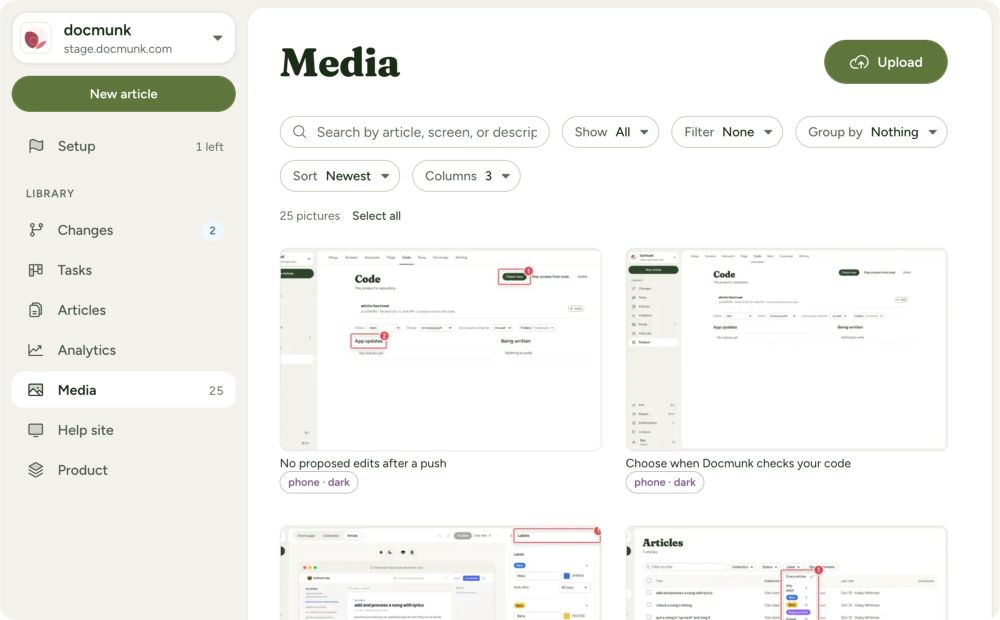

LivePlan keeps 232 articles and 1,384 picture files current with Docmunk.
One simple button change can mean 12 different screenshots and updates across countless articles. Most teams fall behind, and customers end up looking at screens that no longer exist.
Screenshot or video, chosen for you. Docmunk decides whether a step is clearer as a screenshot or a short animated video, and captures it from your app.
Every plan and role. Login profiles capture your app as each kind of customer, so they see screens they recognize.
Every mode and device. Light and dark, desktop, tablet and phone, from one capture.
Retaken automatically. Docmunk finds every image a change affects and recaptures it.
Updated everywhere. The new image replaces the old one in every article that uses it.
Redesigns without the rework. When your app changes its look, Docmunk retakes the images for you.
You approve every change. New images wait for your review like any other edit.
Capture anything. Take your own screenshots and short videos of any screen, right inside Docmunk.
Every login, ready to use. Switch between your saved login profiles to see and capture your app as any plan or role, without signing in and out.
Annotate any way you want. Add arrows, highlights and text, and blur anything private, so customers see exactly where to look.
One consistent look. Save an annotation style once and use it on every image.
Ready for any article. Your captures live with your help center, so you can add them anywhere.
Screenshots are one part of an accurate article. Docmunk also drafts the articles, keeps the text current as you ship, and gets customers the right answer wherever they ask. See how Docmunk builds your help center.
No. Updates are unlimited on every plan.
Yes. Docmunk’s built-in screenshot tool takes screenshots and videos as any of your saved login profiles, and lets you annotate them with arrows, highlights, text and blur.
No. Docmunk retakes the affected screenshots and videos for you.
Short animated WebP files, which load quickly and play in any modern browser.