
Automated Captures
Screenshots that maintain themselves
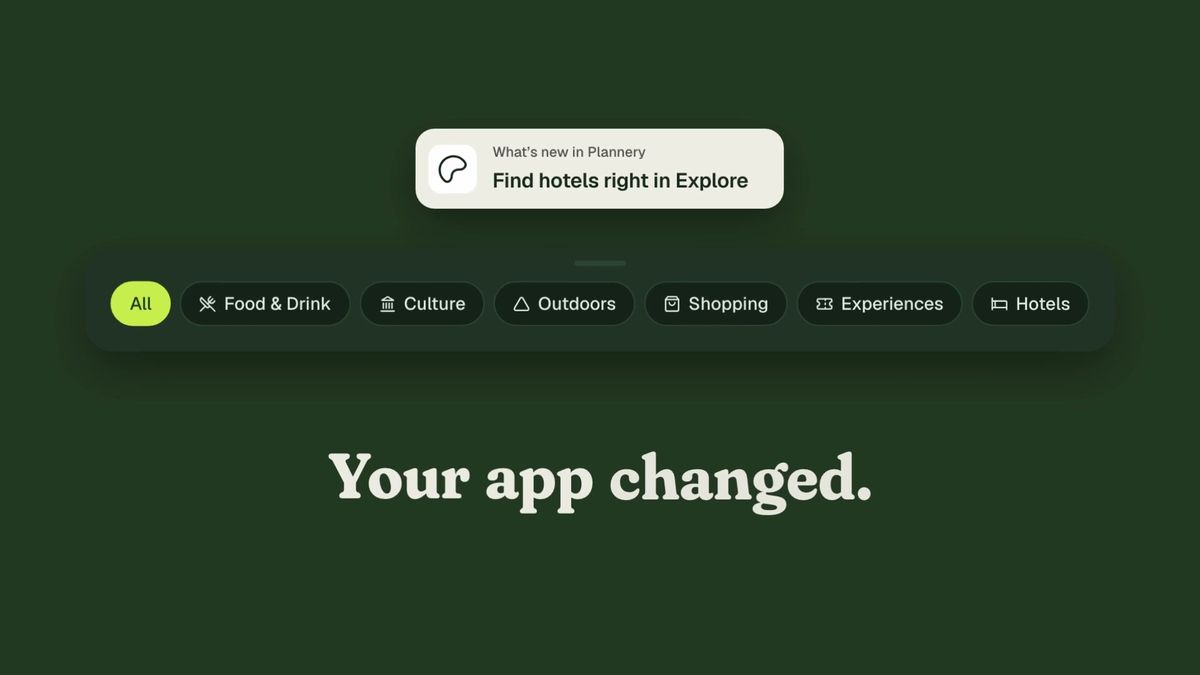
Desktop, tablet and phone, light and dark, captured from a plain-language description. After a redesign, recapture is automatic.


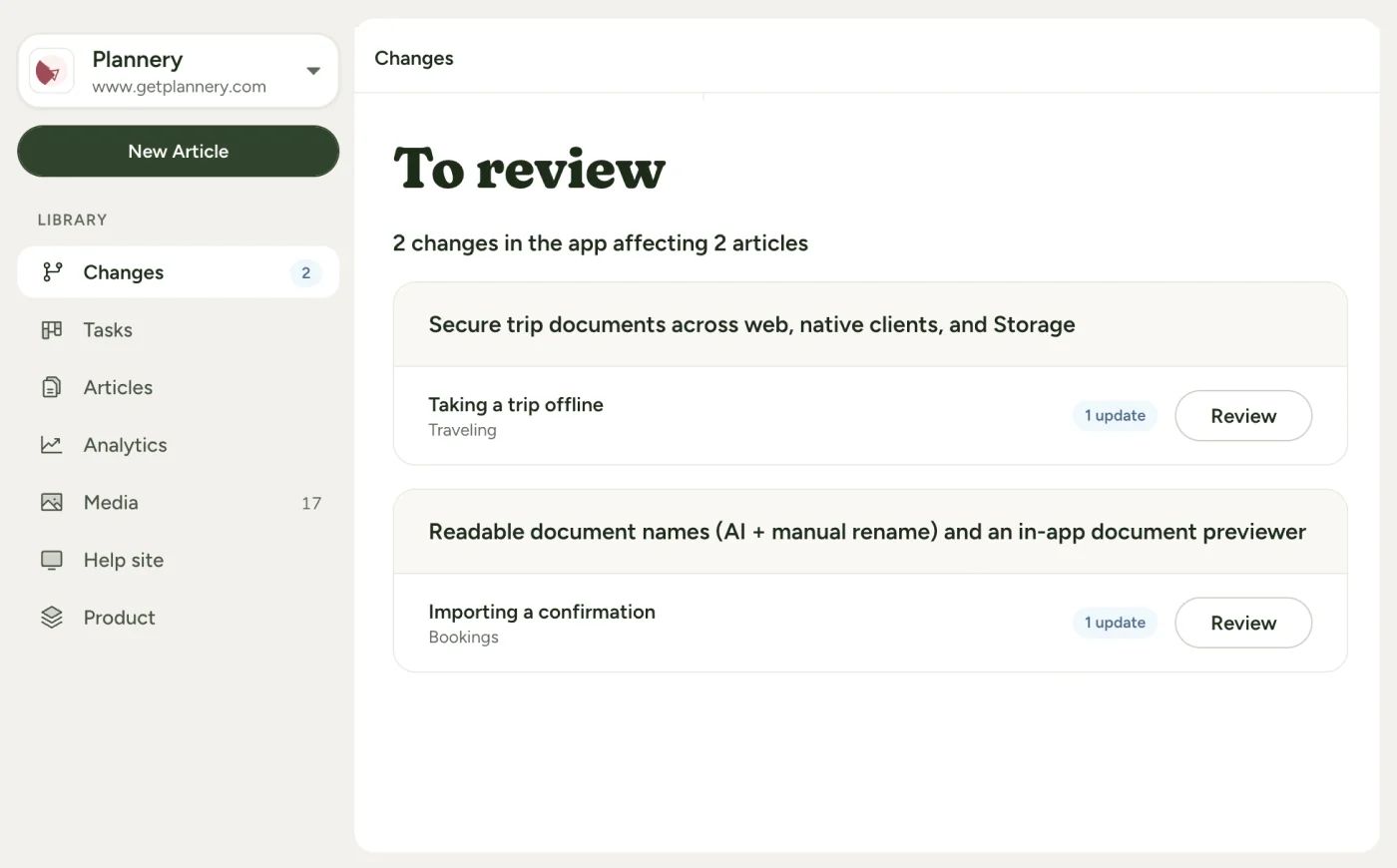
Docmunk watches your app for changes. It tells you which articles just went stale, and which ones you’re missing entirely. Then it drafts the fix and a fresh screenshot for you to approve.

Docmunk is help center software that drafts articles and screenshots from your code, then monitors your code and proposes updates when your product changes. You review every change before customers see it. Your help center stays accurate for the people reading it and for the AI tools answering questions about your product.
Automated Captures
Desktop, tablet and phone, light and dark, captured from a plain-language description. After a redesign, recapture is automatic.
Smart Drafts
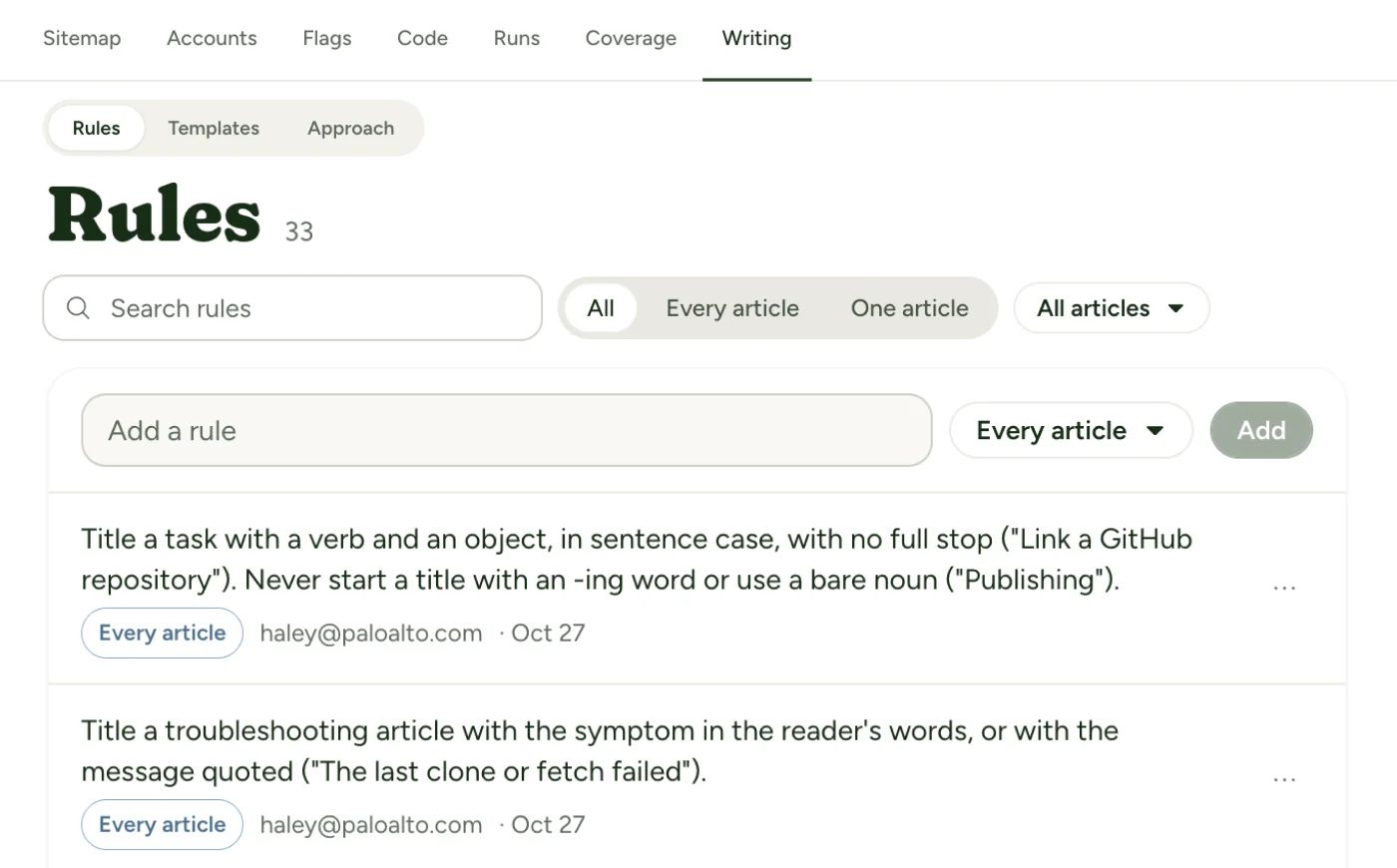
Docmunk learns how you write: your style rules, your product’s terms, your tone. When you reject a change and say why, it learns, so each draft needs less editing than the last.
Coverage Analytics
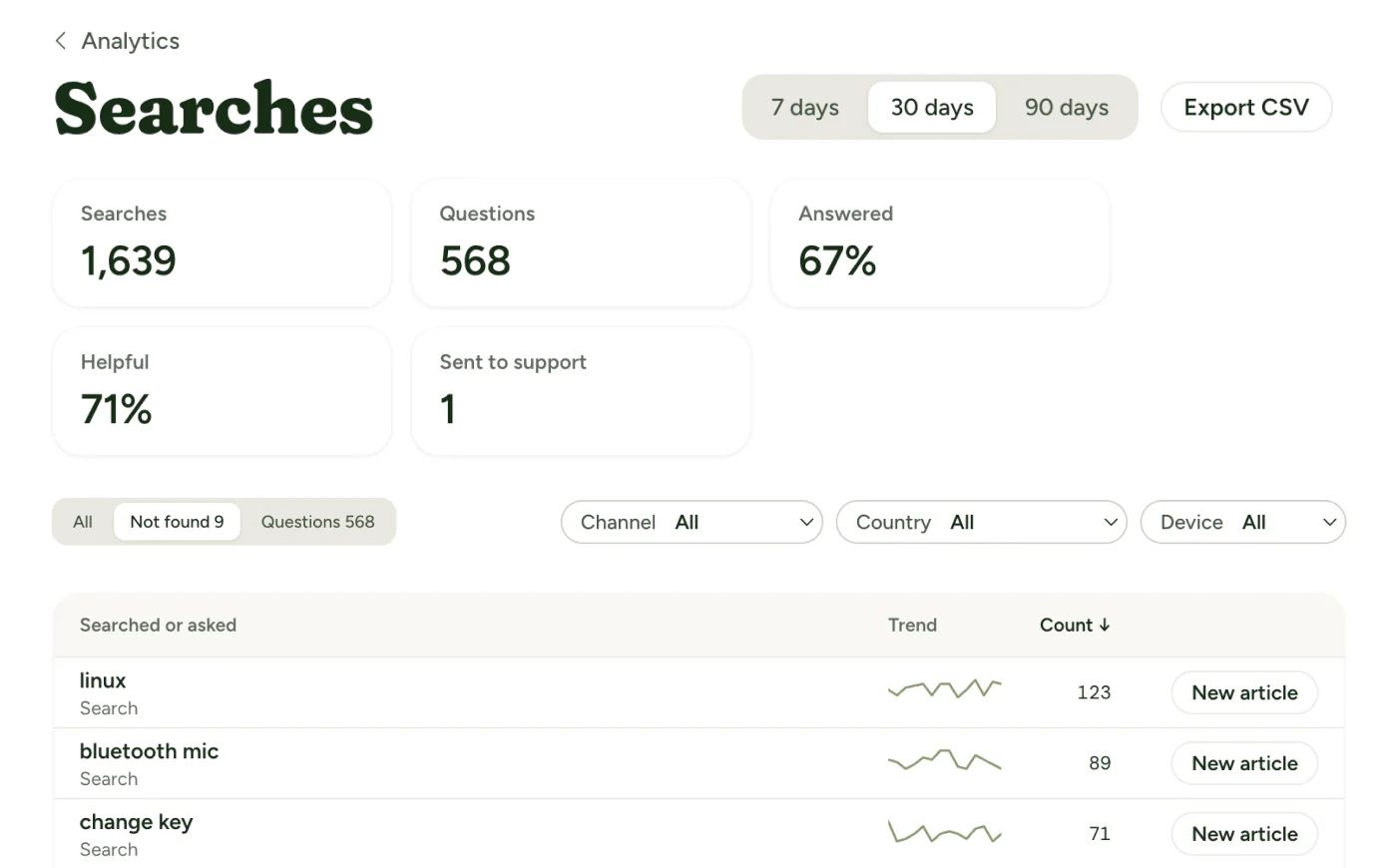
See what customers search for, how often they get an answer, and which questions have no article. Surface answers buried deep in long articles and give them a headline of their own.
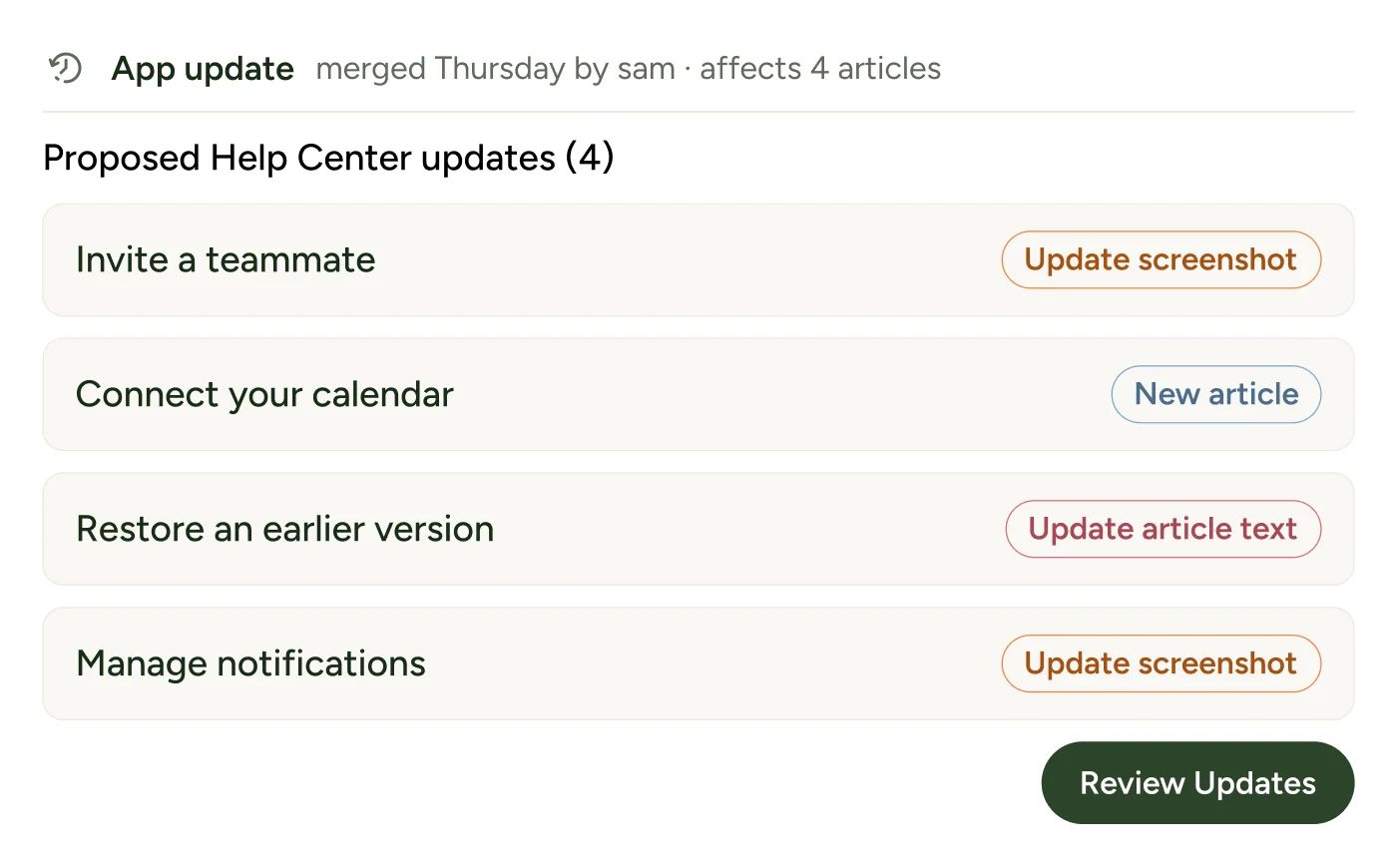
Change Detection
Docmunk monitors your codebase for changes and knows exactly which help article covers which part of your app. When a change is made, Docmunk knows exactly which articles need updates.

SaaS teams that ship often and have no one to spare for the docs: founders without a help center yet, product leaders whose docs lose to the release schedule, and support leaders whose articles no longer match the app.

We set it up with you on a call of about 45 minutes. Your engineer is needed for about 10 of them. You’ll connect your code, set up login profiles, import any existing docs and review your first articles. Onboarding is included on every plan.
Docmunk is for customer-facing help for web apps. It isn’t built for API reference docs, and native mobile apps aren’t supported at launch.
Start Free Trial
Prefer a second opinion? Ask your assistant to read this page and explain whether Docmunk fits your product.
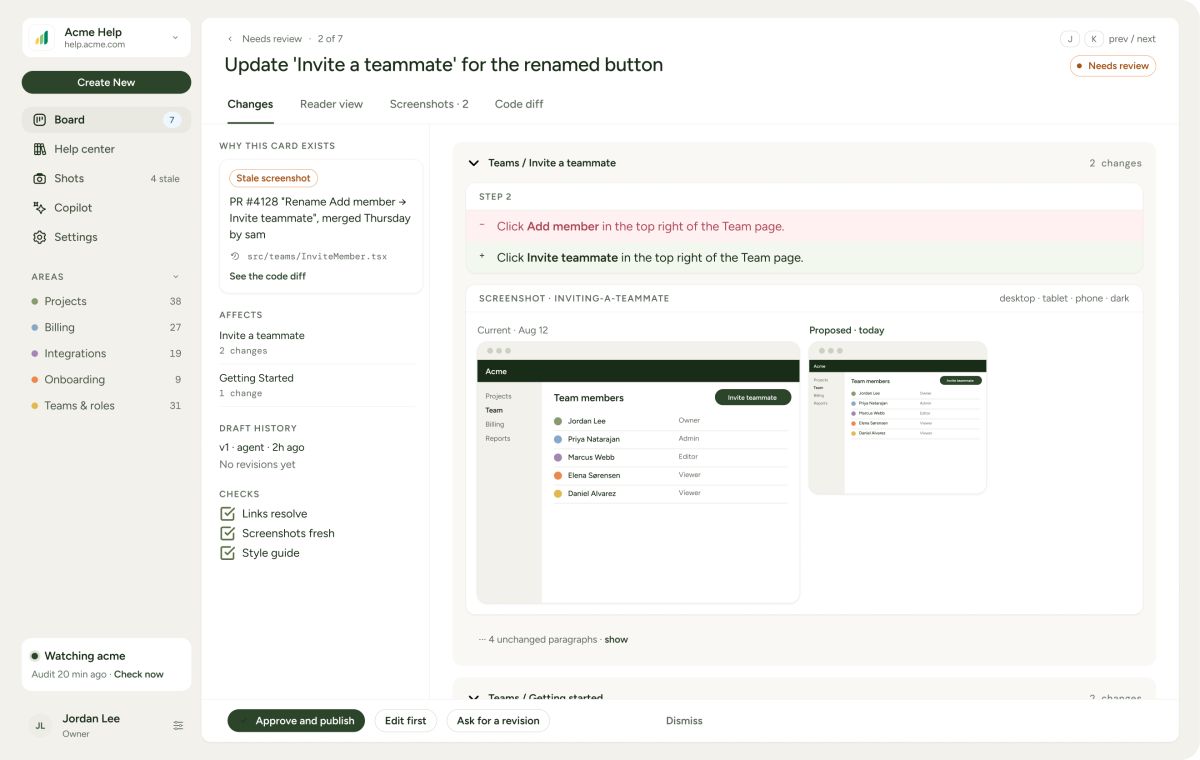
Every drift alert, draft, and new capture lands on one review board. See the change side by side with what’s live, edit inline, approve. Batch a release’s worth of updates into a single review instead of a dozen interruptions.

 1
Connect your repository and a login for a test copy of your app. Docmunk maps which articles describe which parts of the product, and starts watching.
2Each change folds into the article that already covers it, copy and screenshots both. Rewrite a sentence and the correction carries into the next draft.
3Everything lands on one board. See the change side by side with what’s live, tweak inline, approve.

Fewer tickets that were never really questions. The articles match what the customer is looking at.

Documentation is ready the moment the feature is. Captures and drafts run against a test copy before launch.

Renamed buttons, re-cropped screenshots, moved settings stop being your week. What’s left is the work that needed a writer.

The list you never had time to make: what is broken, what is missing, and a draft of each.
Help center software that drafts articles and screenshots from your code, then monitors your code and proposes updates when your product changes.
No. Docmunk can draft one from your code, or you can bring the one you have.
A repository on GitHub, GitLab, Bitbucket or another Git host, your app’s address, and test accounts for the plans or roles you want to document.
Yes. Docmunk hosts it, on your own domain if you like. Updates don’t flow back to another help center tool.
Plans start at $99 a month for up to 50 published articles.
Palo Alto Software, the company behind LivePlan, which has made software for small businesses since 1988.
AI assistants answer from your docs. Current docs mean confident, correct answers. Docs that drift lead to confident wrong answers, at scale. Docmunk keeps the source current to your code.
 Claude
 ChatGPT
 Gemini
 Perplexity